
Streaming Data into BigQuery with Pub/Sub and Dataflow — A Practical Guide
Build a real-time streaming pipeline from Pub/Sub to BigQuery using Dataflow, with windowing, error handling, and exactly-once semantics.
· projects · 2 minutes
Streaming Data into BigQuery with Pub/Sub and Dataflow — A Practical Guide
Batch pipelines are the backbone of most data platforms, but many workloads demand near-real-time data availability. On GCP, the canonical streaming path is Pub/Sub → Dataflow → BigQuery. Here’s how it fits together.
The Components
Pub/Sub is a fully managed message broker. Producers publish messages to a topic, and subscribers pull messages from subscriptions attached to that topic. It handles backpressure, replay, and at-least-once delivery.
Dataflow is the managed runner for Apache Beam pipelines. It auto-scales workers based on throughput and handles watermarking, windowing, and exactly-once processing semantics.
BigQuery supports two ingestion modes for streaming: the legacy Streaming API and the newer Storage Write API. Dataflow’s BigQuery connector uses the Storage Write API by default, which gives exactly-once semantics and better performance.
A Simple Streaming Pipeline
import apache_beam as beamfrom apache_beam.options.pipeline_options import PipelineOptionsfrom apache_beam.io.gcp.bigquery import WriteToBigQueryimport json
class ParseEvent(beam.DoFn):    def process(self, element):        record = json.loads(element.decode("utf-8"))        yield {            "event_id": record.get("event_id"),            "user_id": record.get("user_id"),            "action": record.get("action"),            "event_ts": record.get("event_time"),        }
options = PipelineOptions(    streaming=True,    project="my-project",    region="us-central1",    runner="DataflowRunner",    temp_location="gs://my-bucket/temp",)
with beam.Pipeline(options=options) as p:    (        p        | "ReadPubSub" >> beam.io.ReadFromPubSub(            subscription="projects/my-project/subscriptions/events-sub"        )        | "Parse" >> beam.ParDo(ParseEvent())        | "WriteBQ" >> WriteToBigQuery(            table="my_project:curated.events_streaming",            schema="event_id:STRING,user_id:STRING,action:STRING,event_ts:TIMESTAMP",            write_disposition=beam.io.BigQueryDisposition.WRITE_APPEND,            method=beam.io.WriteToBigQuery.Method.STORAGE_WRITE_API,        )    )
Dead-Letter Handling
Not every message will parse cleanly. Add a dead-letter pattern so bad records don’t crash your pipeline:
class ParseWithDLQ(beam.DoFn): def process(self, element): try: record = json.loads(element.decode("utf-8")) yield beam.pvalue.TaggedOutput("parsed", { "event_id": record["event_id"], "user_id": record["user_id"], "action": record["action"], "event_ts": record["event_time"], }) except Exception as e: yield beam.pvalue.TaggedOutput("dead_letter", { "raw": element.decode("utf-8", errors="replace"), "error": str(e), })Route the dead-letter output to a separate BigQuery table or GCS bucket for investigation.
Monitoring
Dataflow surfaces key metrics in Cloud Monitoring: system lag (how far behind your pipeline is), data freshness, and element counts. Set alerts on system lag — if it climbs steadily, your pipeline can’t keep up with input throughput, and you may need to tune worker counts or optimize your transforms.
When to Skip Dataflow
For simple use cases where you just need Pub/Sub messages in BigQuery without transformation, consider a Pub/Sub BigQuery subscription. This is a direct integration — no pipeline code needed. Pub/Sub writes messages directly to BigQuery using the Storage Write API. The tradeoff is limited transformation capability (you can use a BigQuery table schema to map JSON fields, but complex logic requires Dataflow).
Takeaway: Pub/Sub → Dataflow → BigQuery is the standard GCP streaming architecture. Add dead-letter handling from day one, monitor system lag, and consider Pub/Sub subscriptions for simple pass-through scenarios.
More posts
-
CI/CD for Data Pipelines — From Git Push to Production
Automate data pipeline deployments with GitHub Actions. Testing strategies, dbt CI, Terraform integration, and rollback patterns.
-
Why I Use dbt with BigQuery (And You Should Too)
How dbt transforms BigQuery development with version-controlled models, incremental builds, and automated documentation for analytics engineering.
-
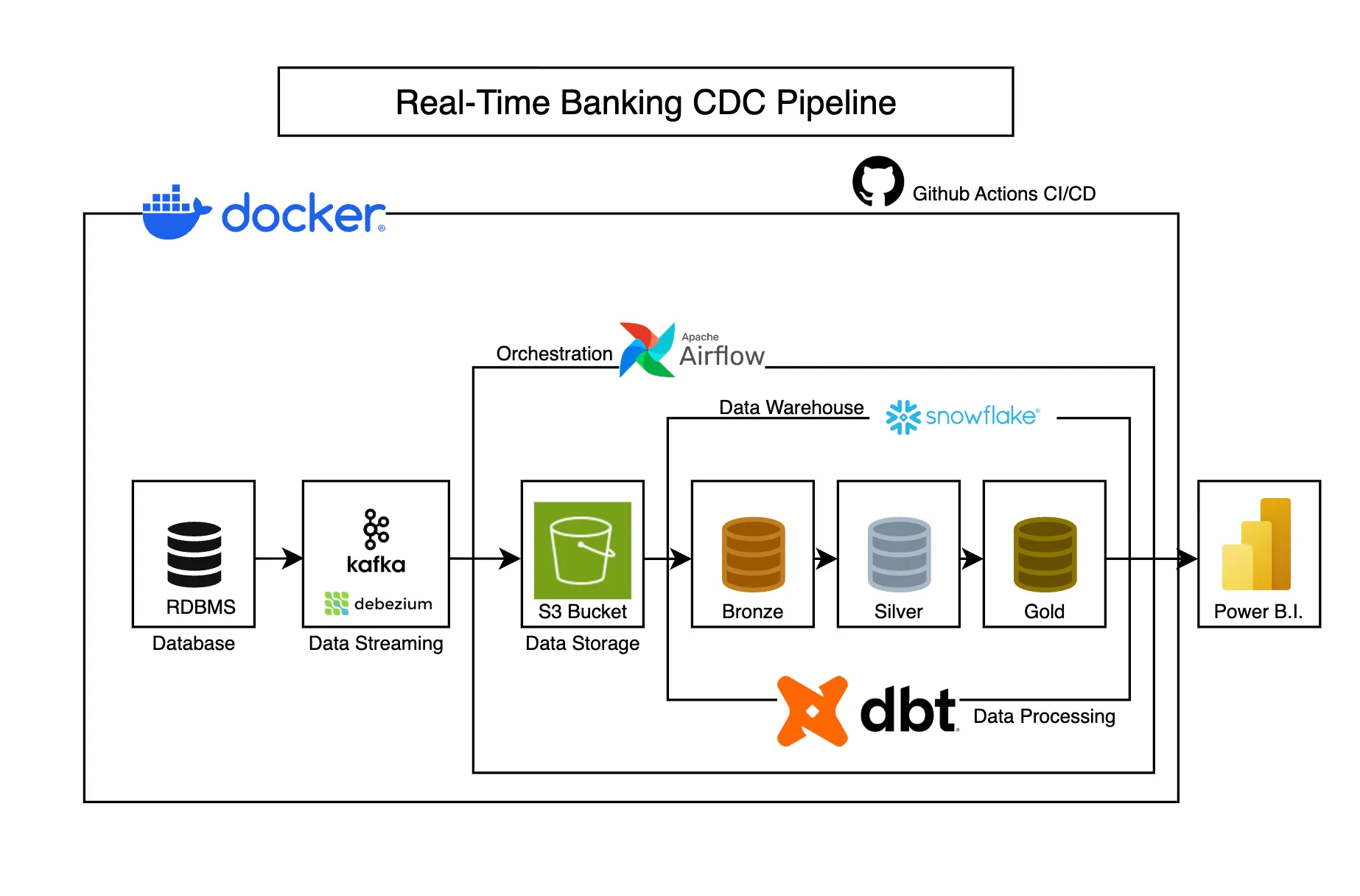
Real-Time Banking CDC Pipeline
Captures banking transaction changes in real-time using CDC, transforming operational data into analytics-ready models for business intelligence.